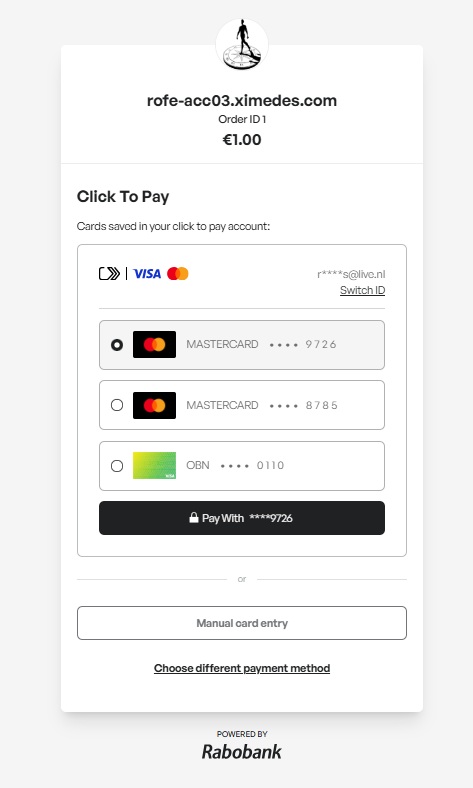
Click to Pay is a digital checkout solution developed by card networks that enables shoppers to pay with their card using a secure, one-click experience. It leverages tokenization and network authentication to streamline the payment process while maintaining high security standards.
Click to Pay is designed to work across merchants and platforms, allowing shoppers to use their saved cards without needing to re-enter details or create new accounts. This feature supports major card brands, including Visa, Mastercard, VPay, and Maestro.
Configuration
You can enable Click to Pay via the self-service dashboard:
- Path: Self service → My business → Manage webshop → Webshop payment methods → Edit or Add
- Enable Click to Pay by checking the box for the selected webshop.
Once enabled, Click to Pay is automatically available to shoppers during checkout.
Click to Pay and Card on File cannot be shown simultaneously on the checkout page. When both wallets are enabled in your account, the enableCardOnFile flag will ensure that Card on File will be enforced and Click to Pay will be suppressed.
Integration
No additional integration or development effort is required. If an order is announced via the API and Click to Pay is enabled for the webshop, the shopper will automatically be presented with the Click to Pay option in the Rabo Smart Pay hosted checkout page.
Tip: To increase the likelihood of a frictionless checkout, include the shopper’s email address in the order announcement. When the checkout begins, the system will automatically check if a Click to Pay account is linked to the provided email address.
Example hosted checkout