
Signing Flow for Payment Batches
Below is an example of the payment flow for the Rabobank service.
For every payment provider/application, this flow and labels may look different.
Web flow
We currently support the browser version only for the Bulk Payment Signing.
-
Create bulk payment/direct debit order(s) on your bookkeeping platform and send in the order(s) to Rabobank using the api. The look and feel of your display page is dependent on your local bookkeeping software.
-
After the order files are successfully uploaded to Rabobank, an option/link is made available in the local software to directly sign your order(s) using the Rabobank signing service.
-
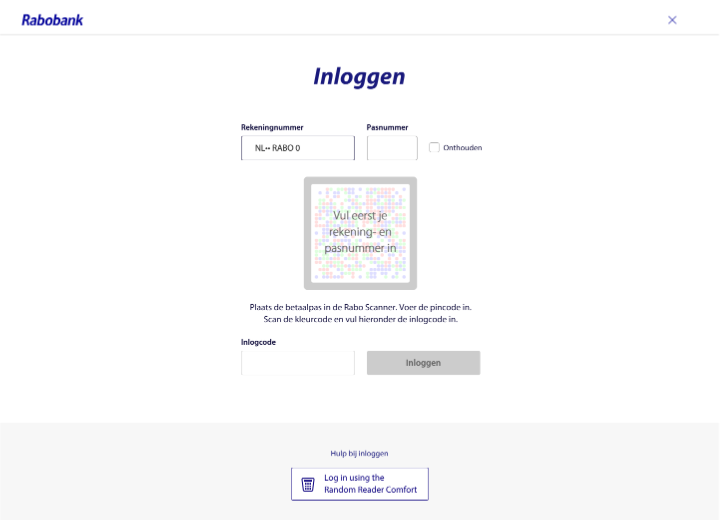
Selecting this option/link navigates you to the Rabobank login page.
-
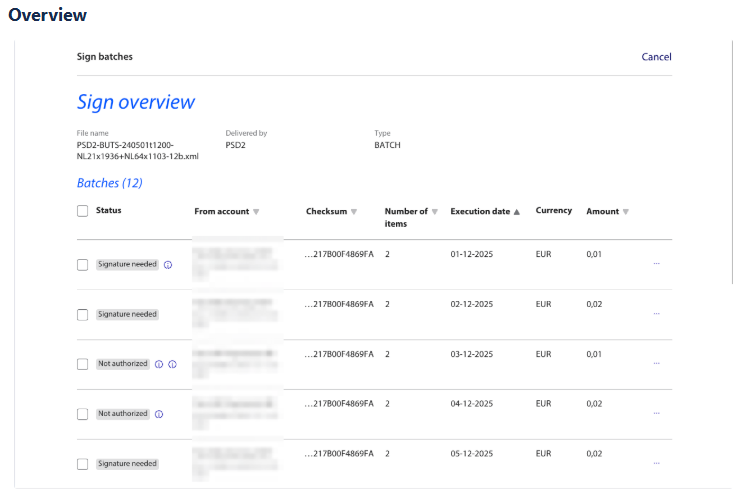
When the user is successfully logged in, the Sign overview page is displayed showing an overview of all the batches included in the order file, which was uploaded to Rabobank.
-
On the Sign overview page, you can verify the batch information and select one or more batches for signing.
-
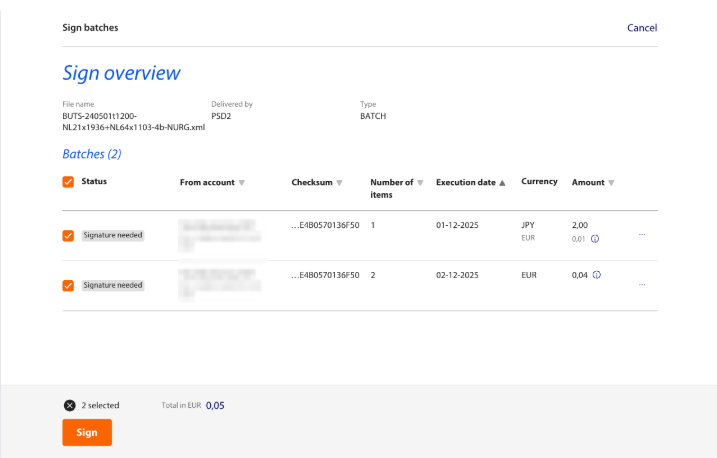
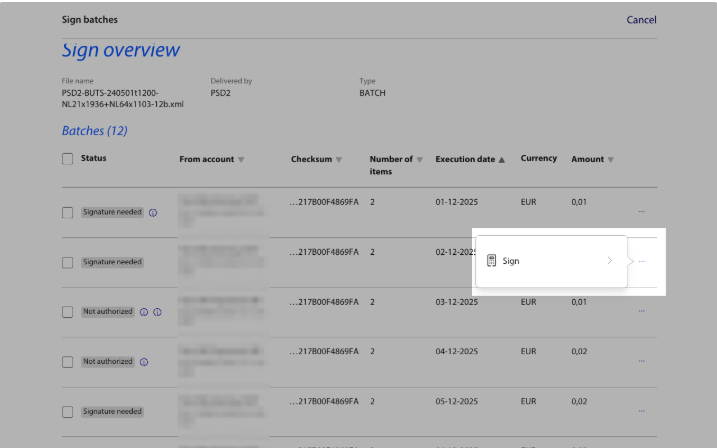
Select the batches and click the Sign button at the bottom of the page. Clicking the Sign button initiates the signing session, alternatively you can click the three dots on the right side to only sign a single batch.
-
Clicking the Sign button, opens a pop-up window, where the user can sign batches.
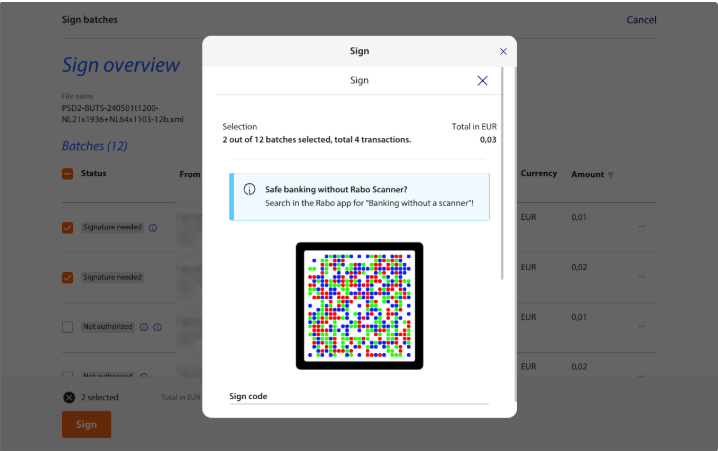
-
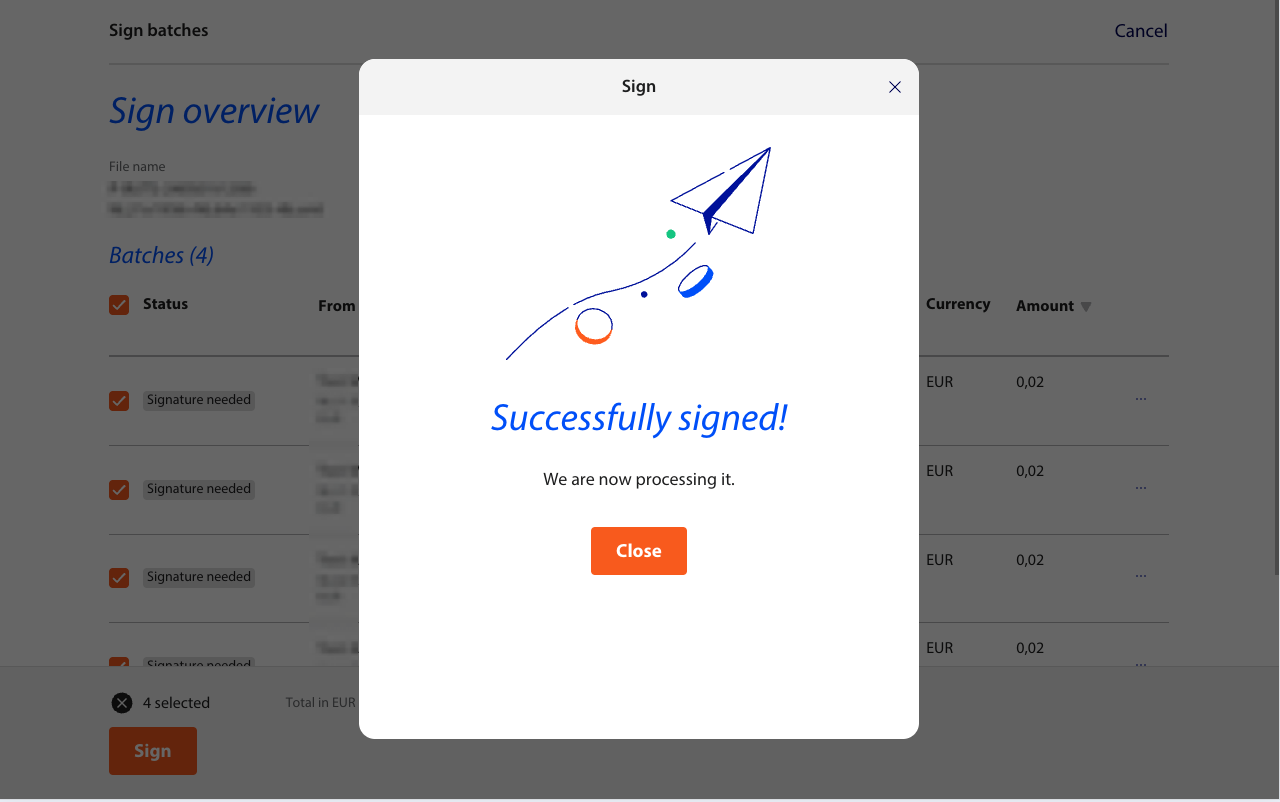
On successful signing the order batch, a success notification is displayed in the pop-up window. The Sign pop-up window can now be closed, If there are any unsigned batches, they remain on the Sign overview page.
Updated about 21 hours ago